Technology, Email, DNS
DNS Records for Email Delivery: SPF, DKIM, DMARC, MX & PTR Explained
11 min readTechnology, Email, DNS
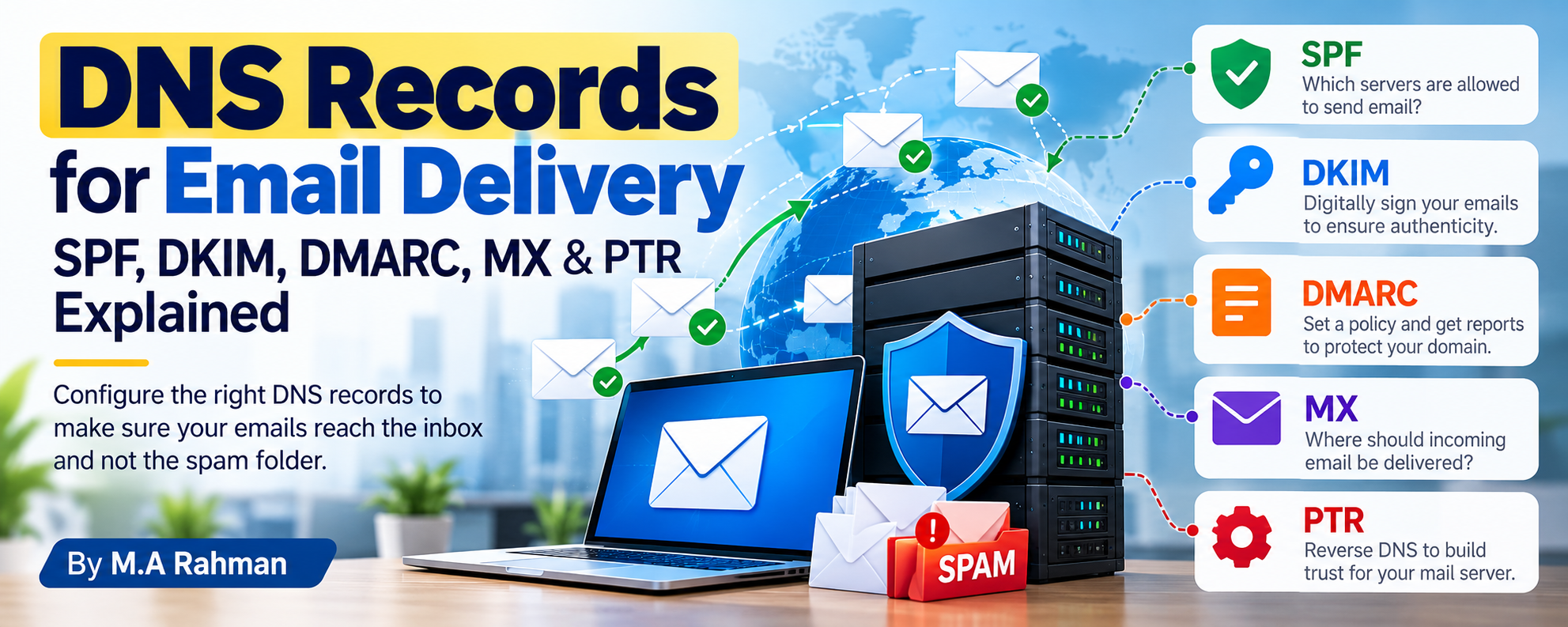
Author: M.A Rahman
Are you managing your own email server? Do you know which DNS records are essential to make sure your emails reach the recipient's inbox?
Whether you are running Zimbra, MDaemon, Microsoft Exchange, Postfix, Exim, or using Microsoft 365 or Google Workspace, DNS configuration plays a critical role in email delivery.
You may have a powerful mail server and a fast internet connection, but without the right DNS records and email authentication, your messages may be rejected, delayed, or delivered to spam.
In this article, we will look at the most important DNS records for email delivery, how they work, why emails fail to reach recipients, and how domain reputation and IP reputation affect your email delivery rate.
1. Why Are DNS Records Important for Email?
DNS, or Domain Name System, is often described as the internet's directory. For email, however, DNS does much more than simply point a domain to a server.
Receiving mail servers use DNS information to determine:
- Where email for a domain should be delivered
- Which servers are authorized to send email
- Whether an email has a valid digital signature
- What to do when email authentication fails
- Whether a sending server has a valid reverse DNS configuration
This means that DNS is a fundamental part of a trustworthy email infrastructure.
A mail server can be correctly configured internally, but if its public DNS records are missing or incorrect, email delivery can still fail.
2. The Most Important DNS Records for Email
If you manage your own email server, there are several DNS records you should understand.
The most important ones are:
- MX — Mail Exchange
- A / AAAA — Server Address
- PTR — Reverse DNS
- SPF — Sender Policy Framework
- DKIM — DomainKeys Identified Mail
- DMARC — Domain-based Message Authentication, Reporting, and Conformance
Each record has a different purpose. Correctly configuring one does not replace the others.
3. MX Record — Where Should Incoming Email Go?
The MX record tells other mail servers where they should deliver incoming email for your domain.
For example:
```text example.com MX 10 mail.example.com ```
When someone sends an email to:
```text user@example.com ```
the sending mail server looks up the MX record for `example.com` to determine where the message should be delivered.
Important
The hostname specified by the MX record should resolve to the correct mail server address.
For example:
```text mail.example.com → 203.0.113.10 ```
MX records are primarily responsible for incoming email routing. They do not, by themselves, authorize your server to send outgoing email.
4. A and AAAA Records — Finding Your Mail Server
Your mail server hostname normally needs an A record for IPv4 and, if you use IPv6, an AAAA record.
For example:
```text mail.example.com A 203.0.113.10 ```
Or for IPv6:
```text mail.example.com AAAA 2001:db8::10 ```
These records allow other systems to resolve your mail server's hostname to its IP address.
If you operate an IPv6-enabled mail server, make sure IPv6 is properly configured. An incorrectly configured IPv6 setup can create email delivery problems even when IPv4 is working correctly.
5. PTR Record — Reverse DNS
The PTR record, commonly called reverse DNS, maps an IP address back to a hostname.
For example:
```text 203.0.113.10 → mail.example.com ```
Ideally, the relationship should be consistent:
```text mail.example.com → 203.0.113.10 203.0.113.10 → mail.example.com ```
This is often called forward-confirmed reverse DNS.
Reverse DNS is particularly important for organizations running their own mail servers because receiving providers may expect a properly configured hostname and reverse DNS.
The PTR record is normally controlled by the owner of the IP address, such as your ISP, hosting provider, or data-center provider.
6. SPF — Which Servers Are Allowed to Send Email?
SPF (Sender Policy Framework) identifies which servers are authorized to send email on behalf of your domain.
For example:
```text v=spf1 ip4:203.0.113.10 -all ```
This is only an illustrative example. In a real environment, you should use your actual authorized sending sources.
If your organization uses multiple email systems, such as:
- Your own Zimbra server
- Microsoft 365
- A website server
- A marketing email platform
then the SPF policy needs to account for legitimate sending sources.
Important SPF rule
A domain should generally publish one SPF record. If several services send email on behalf of the same domain, their authorized mechanisms should be combined into that single SPF policy.
An incorrect SPF configuration can result in authentication failures and contribute to delivery problems.
7. DKIM — Digitally Signing Your Emails
DKIM (DomainKeys Identified Mail) adds a cryptographic signature to outgoing emails.
The receiving mail server can retrieve your public DKIM key from DNS and use it to verify the message signature.
A DKIM record is typically published under a selector:
```text selector1._domainkey.example.com ```
The DNS record contains a public key, for example:
```text v=DKIM1; k=rsa; p=YOUR_PUBLIC_KEY ```
The actual key will be much longer.
DKIM helps receiving servers verify that the message was signed by an authorized system associated with your domain and that relevant signed content has not been altered.
If you use Zimbra, MDaemon, Exchange, or another mail platform, check its documentation for enabling DKIM signing and publishing the correct public key.
8. DMARC — The Policy Layer
DMARC (Domain-based Message Authentication, Reporting, and Conformance) builds on SPF and DKIM.
It allows domain owners to publish a policy telling receiving mail servers what to do when messages fail DMARC authentication and alignment.
A basic monitoring policy could look like:
```text v=DMARC1; p=none; rua=mailto:dmarc@example.com ```
The `p=none` policy is generally used for monitoring rather than actively rejecting messages.
Once you understand your legitimate sending sources and authentication results, you can consider stronger policies such as:
```text p=quarantine ```
or:
```text p=reject ```
DMARC can also provide reports that help administrators identify authentication problems and potentially unauthorized use of their domain.
SPF + DKIM + DMARC
Think of them as three complementary layers:
SPF: "Is this server authorized to send for this domain?"
DKIM: "Does this email contain a valid cryptographic signature?"
DMARC: "What should happen when authentication and domain alignment do not meet the policy?"
9. Domain Reputation — Is Your Domain Trusted?
DNS authentication is important, but passing SPF, DKIM, and DMARC does not automatically guarantee inbox placement.
Your domain reputation also matters.
Receiving providers may evaluate the history and behavior associated with your domain.
A domain with frequent spam complaints, poor mailing practices, or suspicious activity may have delivery problems even if its DNS records are technically correct.
To maintain a healthy domain reputation:
- Send email to legitimate recipients.
- Avoid unsolicited bulk email.
- Remove invalid addresses.
- Monitor bounce rates.
- Monitor spam complaints.
- Avoid sudden unexplained increases in email volume.
- Keep your domain and email infrastructure secure.
Domain reputation is a long-term asset. It can take time to establish and can be damaged by poor sending practices.
10. IP Reputation — Is Your Mail Server Trusted?
If you run your own mail server, your public IP reputation is equally important.
Receiving servers may evaluate the history of your sending IP.
A poor IP reputation can result in:
- Rejected email
- Temporary delivery delays
- Rate limiting
- Spam filtering
You should regularly check your IP reputation and investigate relevant blocklist listings.
Also make sure that:
- PTR/reverse DNS is configured.
- Your HELO/EHLO hostname is correct.
- Your server is not an open relay.
- Your mail server is properly secured.
- Compromised accounts cannot be used to send spam.
A dedicated IP does not automatically mean better deliverability. It still requires proper configuration and responsible sending practices.
11. What Is Your Email Delivery Rate?
One of the most useful metrics for email administrators is the email delivery rate.
For example, if you send 1,000 emails and 950 are accepted by receiving mail servers:
Delivery Rate = 950 ÷ 1,000 × 100 = 95%
However, delivery rate and inbox placement are not the same thing.
You might have:
95% delivery rate
but some of those delivered messages could still end up in:
- Spam
- Junk
- Promotions
- Other filtered folders
Therefore, when evaluating email performance, don't look at only one number. Consider delivery, bounces, authentication failures, complaints, and inbox placement.
12. Why Are Emails Not Being Delivered?
There is rarely one single reason for email delivery failure.
Common causes include:
DNS Problems
- Incorrect MX record
- Missing SPF
- Multiple SPF records
- Incorrect DKIM record
- Missing DMARC
- Incorrect A/AAAA record
- Missing or incorrect PTR
Reputation Problems
- Poor domain reputation
- Poor IP reputation
- IP listed on a blocklist
- Excessive spam complaints
Server Problems
- Incorrect SMTP configuration
- Incorrect HELO/EHLO hostname
- Open relay
- Compromised mailbox
- Firewall problems
- TLS problems
- Server downtime
Sending Problems
- Excessive email volume
- Invalid recipient addresses
- High bounce rate
- Spam-like content
- Suspicious links
- Poor mailing practices
Your mail server logs and SMTP response codes are extremely valuable when diagnosing these problems.
A `4xx` response generally indicates a temporary problem, while a `5xx` response generally indicates a permanent failure that requires investigation.
13. Zimbra, MDaemon and Other Email Servers
Which email server should you use?
There are many options available depending on your organization's requirements.
Zimbra
Zimbra Collaboration is a popular email and collaboration platform that provides business email along with calendars, contacts, and other collaboration features.
MDaemon
MDaemon Email Server is a business email server designed for organizations that want to maintain control over their own email infrastructure.
Microsoft Exchange
Microsoft Exchange Server is an enterprise email and collaboration platform widely used in business environments.
Postfix
Postfix is a popular open-source mail transfer agent, particularly common on Linux servers.
Exim
Exim is another flexible mail transfer agent commonly used in Linux-based environments.
Microsoft 365
Microsoft 365 provides cloud-based business email and productivity services without requiring an organization to maintain its own physical mail server.
Google Workspace
Google Workspace provides cloud-based email and collaboration services using Gmail.
Regardless of which platform you choose, DNS configuration remains an important part of your email infrastructure.
14. Email Server Checklist
If you are managing your own email server, check the following:
☑ MX record configured correctly ☑ A/AAAA record configured correctly ☑ PTR/reverse DNS configured ☑ SPF configured ☑ DKIM signing enabled ☑ DMARC configured ☑ HELO/EHLO hostname configured correctly ☑ TLS configured correctly ☑ IP reputation monitored ☑ Domain reputation monitored ☑ Relevant blocklists checked ☑ SMTP logs monitored ☑ Mailboxes secured ☑ Open relay disabled ☑ Sending volume monitored ☑ Bounce and spam complaints monitored
This checklist can help identify many common configuration and deliverability problems.
15. Final Thoughts
DNS is one of the foundations of modern email delivery.
Your email server may be Zimbra, MDaemon, Exchange, Postfix, Exim, Microsoft 365, Google Workspace, or another platform. But regardless of the platform, your domain needs a properly designed email DNS configuration.
Remember the key records:
MX → Where should incoming email go?
A/AAAA → Where is the mail server?
PTR → What hostname belongs to this IP?
SPF → Which servers are authorized to send?
DKIM → Is the message cryptographically signed?
DMARC → What should happen when authentication fails?
But DNS is only one part of the equation. Domain reputation, IP reputation, server security, sending behavior, email content, and recipient complaints also influence email deliverability.
If you manage your own email server, don't simply ask:
"Is my mail server working?"
Also ask:
"Is my DNS correctly configured, and do receiving mail servers trust my domain and IP?"
That question can make a significant difference in understanding your email delivery problems.
Let's Discuss
Are you managing your own email server?
Which email server are you using?
Zimbra, MDaemon, Microsoft Exchange, Postfix, Exim, Microsoft 365, Google Workspace, or something else?
And what is your current email delivery rate?
Have you ever faced problems with SPF, DKIM, DMARC, MX, PTR, IP reputation, or domain reputation?
Share your experience in the comments. Let's learn from one another and build more reliable email systems.
— M.A Rahman